
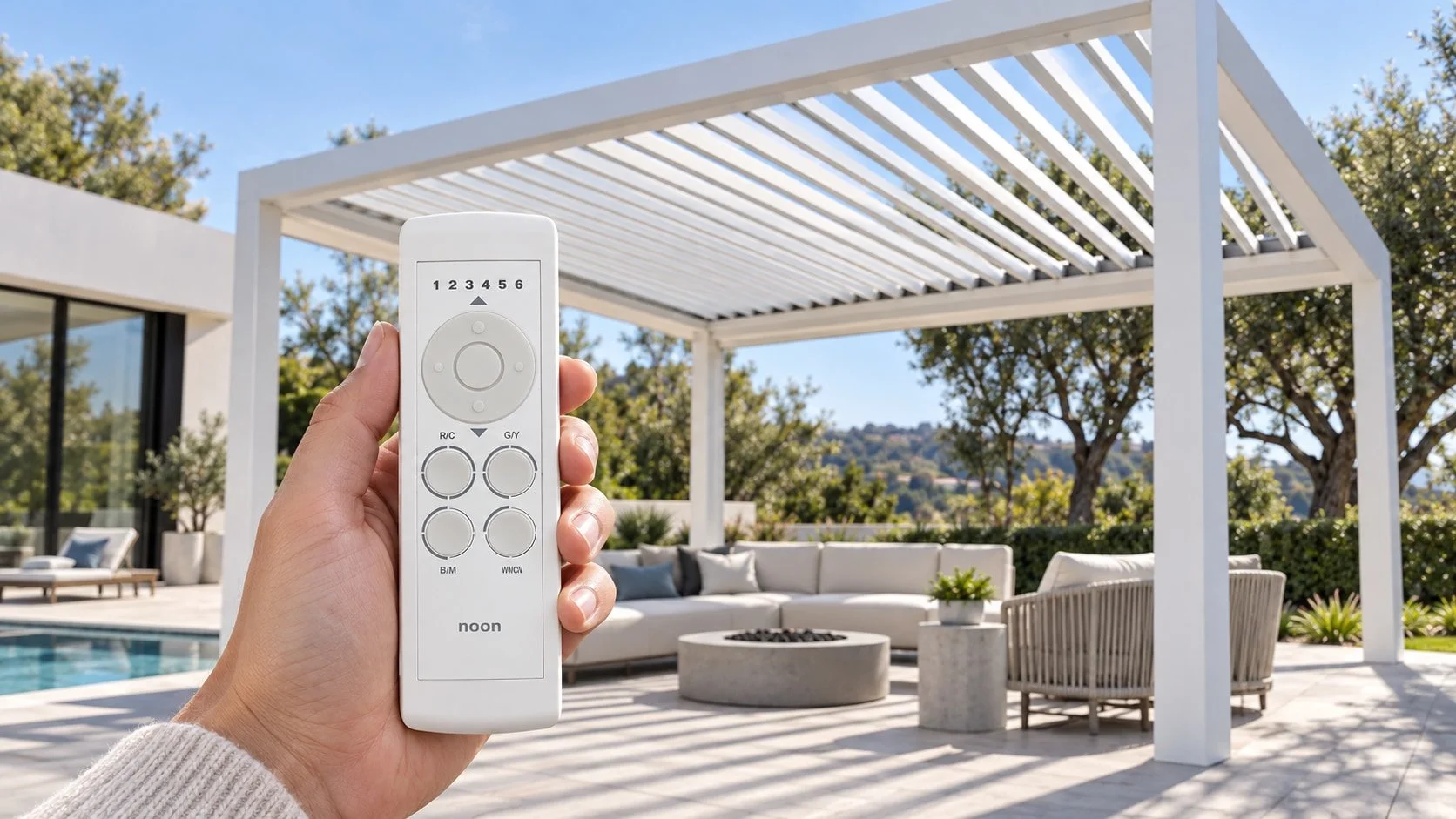
Applies to: Vetrina Bioclimatic Pergolas collection.
Vetrina pergolas can be equipped with a remote controller for operating both the motorized louvers and the integrated lighting.
The same basic controls apply to both single- and double-pergola installations. The key is selecting the correct channel first, then using the upper or lower portion of the large circular control to adjust the selected function.
This guide covers the controller configurations shown in the Vetrina single-pergola and double-pergola remote guides.
Start by Selecting the Correct Channel
The remote uses separate channels for the louvers and lighting.
Press LEFT or RIGHT on the large circular button to move between the available channels. The selected channel determines which part of the pergola the remote will control.
Before operating the louvers or lights, confirm that the correct channel is selected.
Single Pergola Channel Setup
For a standard single-pergola installation, the controller uses two channels:
| Channel | Function |
|---|---|
| Channel 1 | Louvers |
| Channel 2 | Lighting |
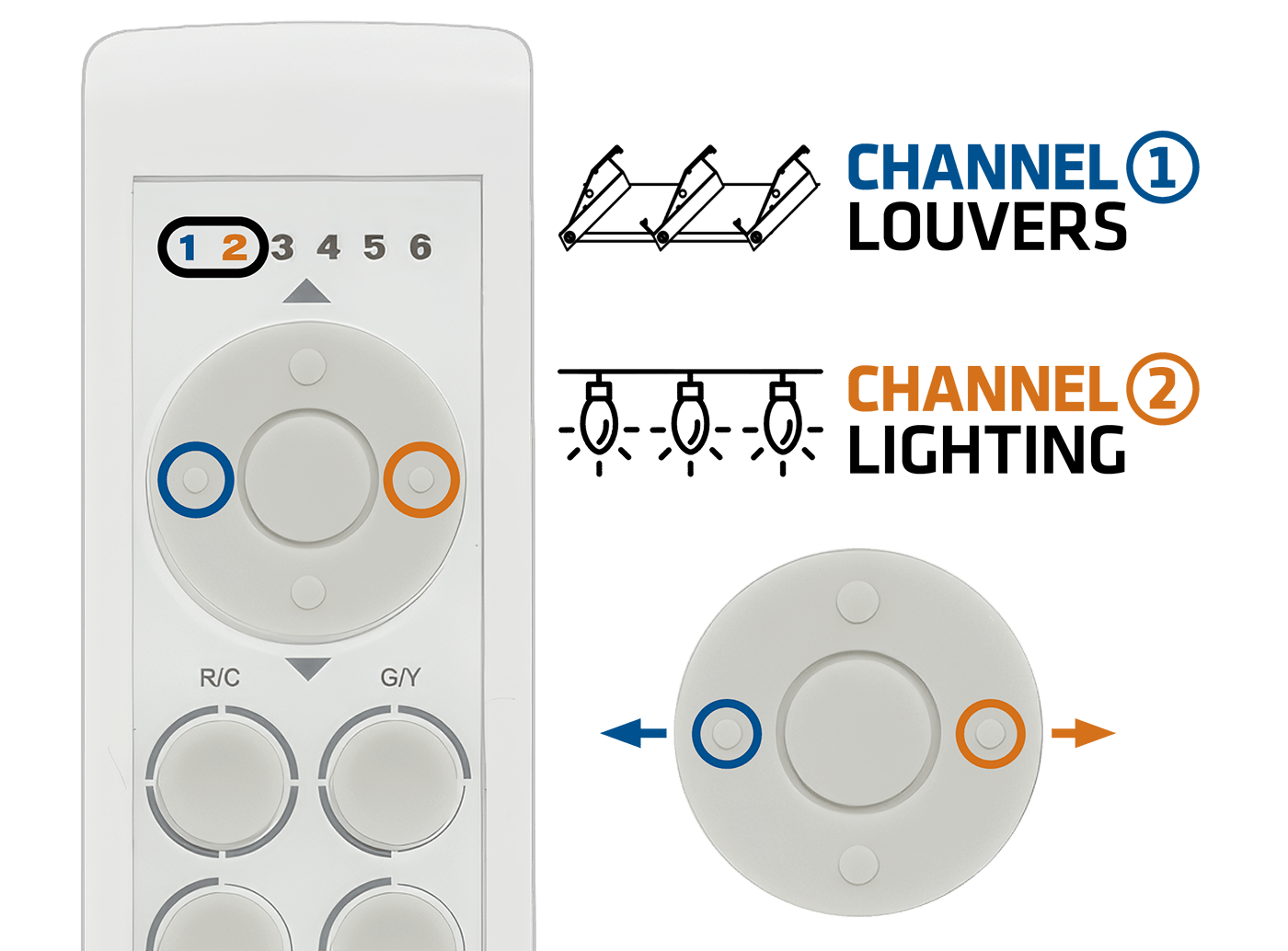
Single Pergola channel selection
The single-pergola controller guide assigns Channel 1 to the motorized louvers and Channel 2 to the lighting system.
Use the LEFT and RIGHT controls on the large circular button to switch between them.
Double Pergola Channel Setup
A double-pergola installation uses four channels so each side can be controlled independently:
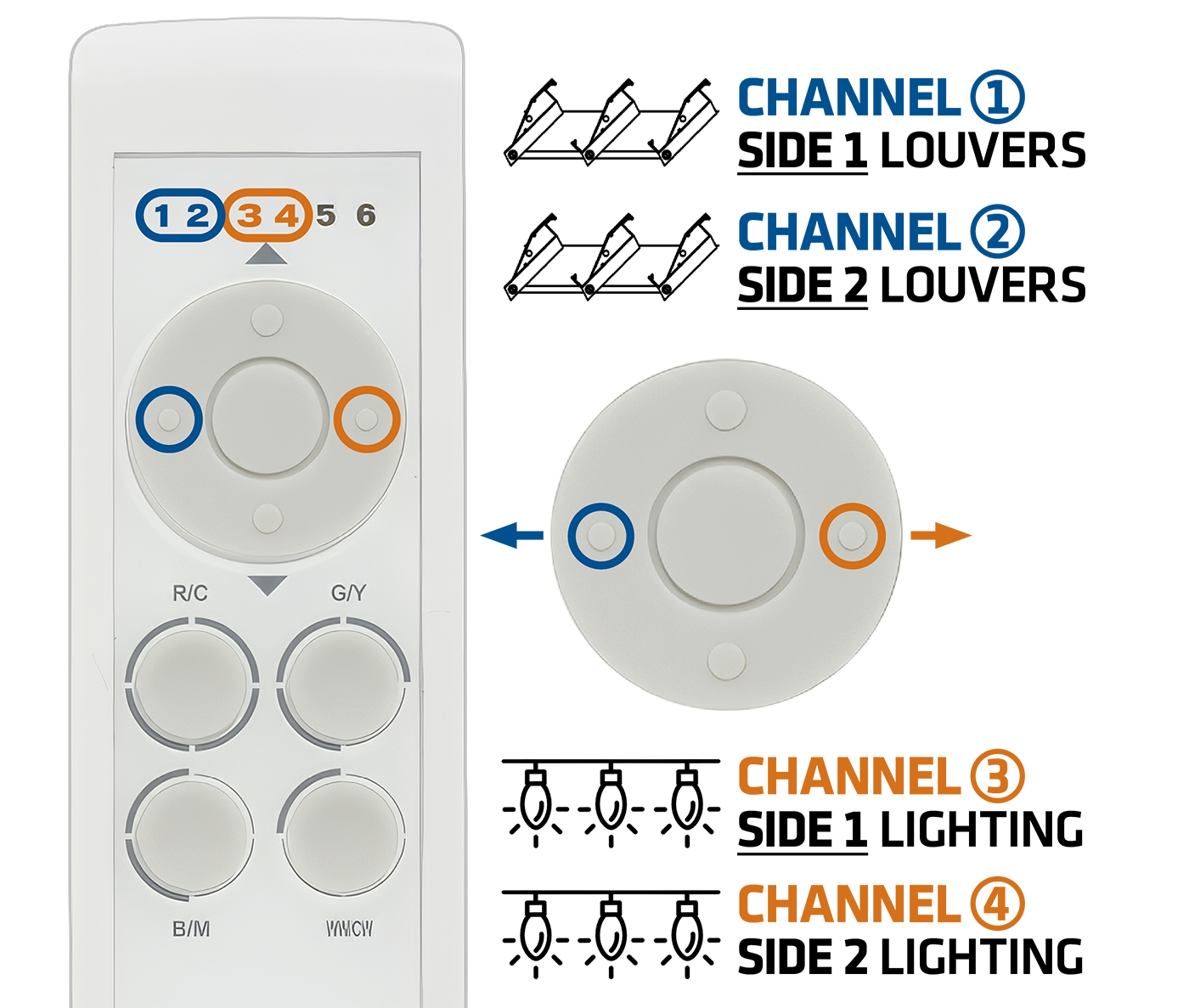
Double Pergola channel selection
| Channel | Function |
|---|---|
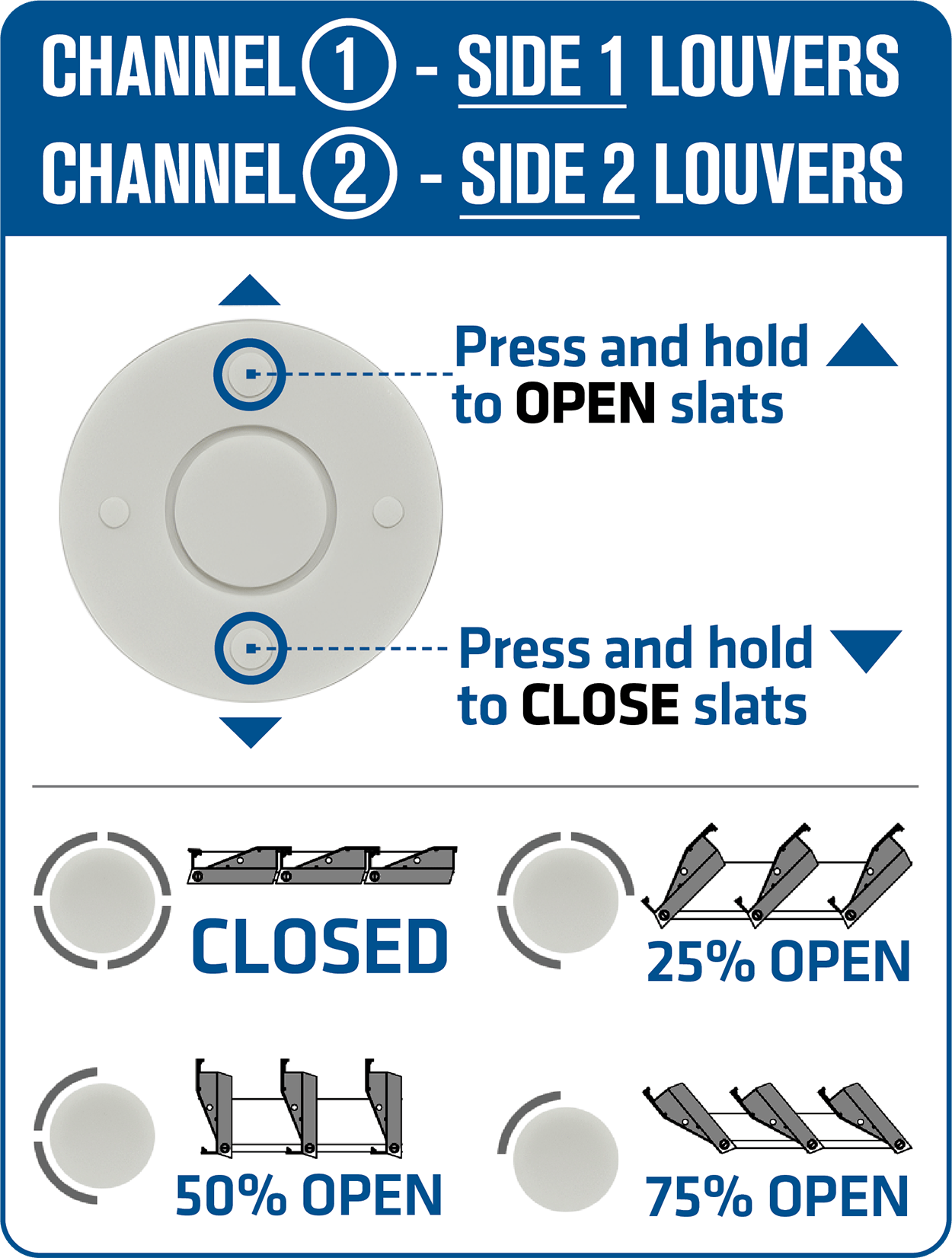
| Channel 1 | Side 1 Louvers |
| Channel 2 | Side 2 Louvers |
| Channel 3 | Side 1 Lighting |
| Channel 4 | Side 2 Lighting |
This allows the two pergola sections to operate independently. For example, you can open the louvers on one side while leaving the other side closed, or use different lighting levels on each section.
How to Open and Close the Louvers
First, select the appropriate louvers channel.
For a single pergola, select Channel 1.
For a double pergola, select either:
Channel 1 for Side 1
Channel 2 for Side 2
Once the correct channel is selected:
Press and hold the upper portion of the circular control to OPEN the louvers.
Press and hold the lower portion of the circular control to CLOSE the louvers.
Release the button when the louvers reach the position you want. The controller guide illustrates fully closed as well as approximately 25%, 50%, and 75% open positions.
This means the louvers do not have to remain fully open or fully closed. They can be stopped at intermediate positions to adjust sunlight, ventilation, and shade.
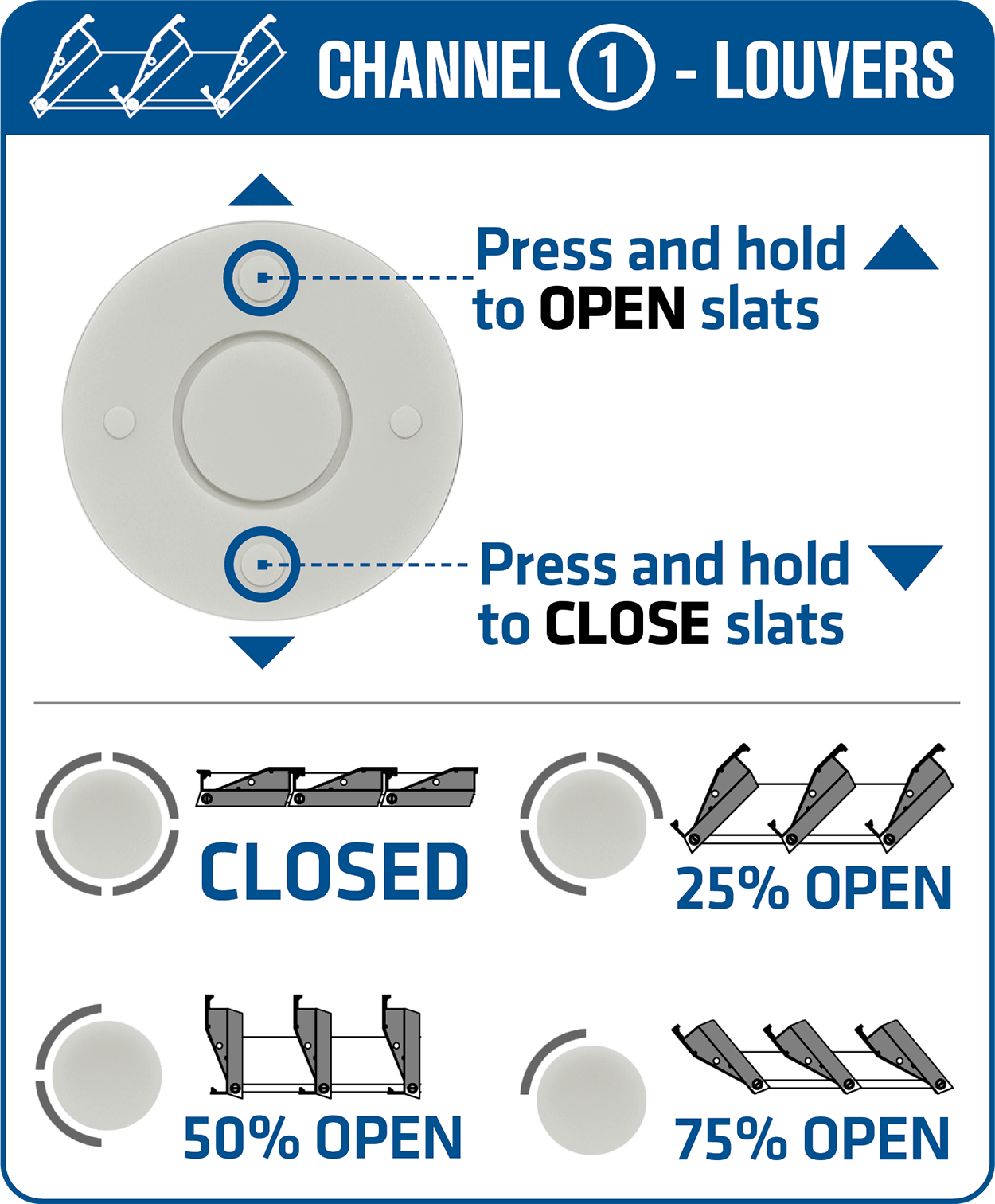
Adjusting the Louver Position
The louver angle can be adjusted depending on the conditions and how you want to use the space.
A partially open position can allow daylight and ventilation while still providing shade, while opening the louvers farther creates a more open-air environment.
To make small adjustments, press and hold the OPEN or CLOSE control briefly and release it when the louvers reach the desired position.
For a double pergola, repeat the process on the second louver channel if you want both sides adjusted.
How to Control the Pergola Lighting
Select the appropriate lighting channel first.
For a single pergola, select Channel 2.
For a double pergola:
Channel 3 controls Side 1 lighting.
Channel 4 controls Side 2 lighting.
Once the lighting channel is selected:
Press and hold the upper portion of the circular control to BRIGHTEN the lights.
Press and hold the lower portion of the circular control to DIM the lights.
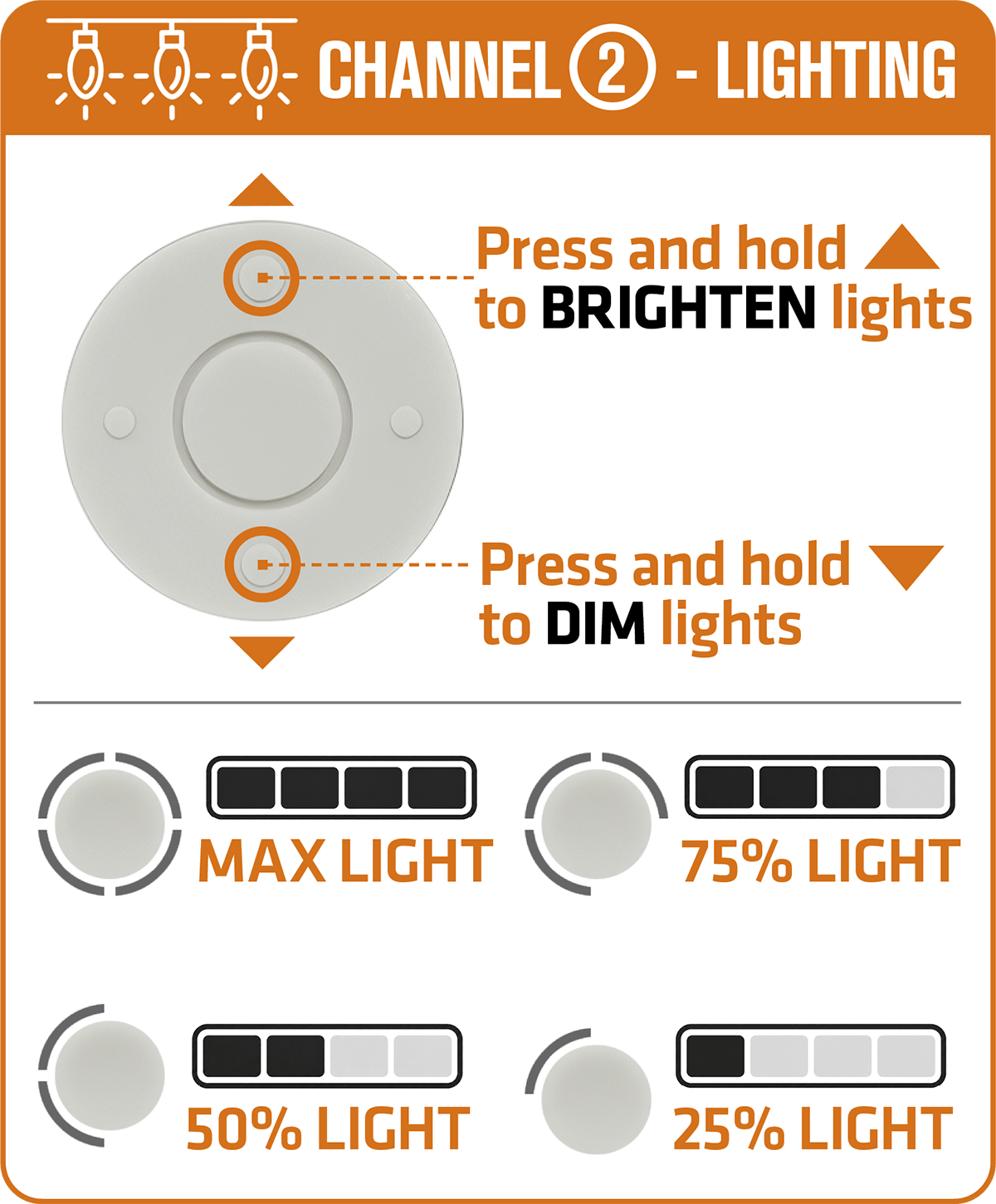
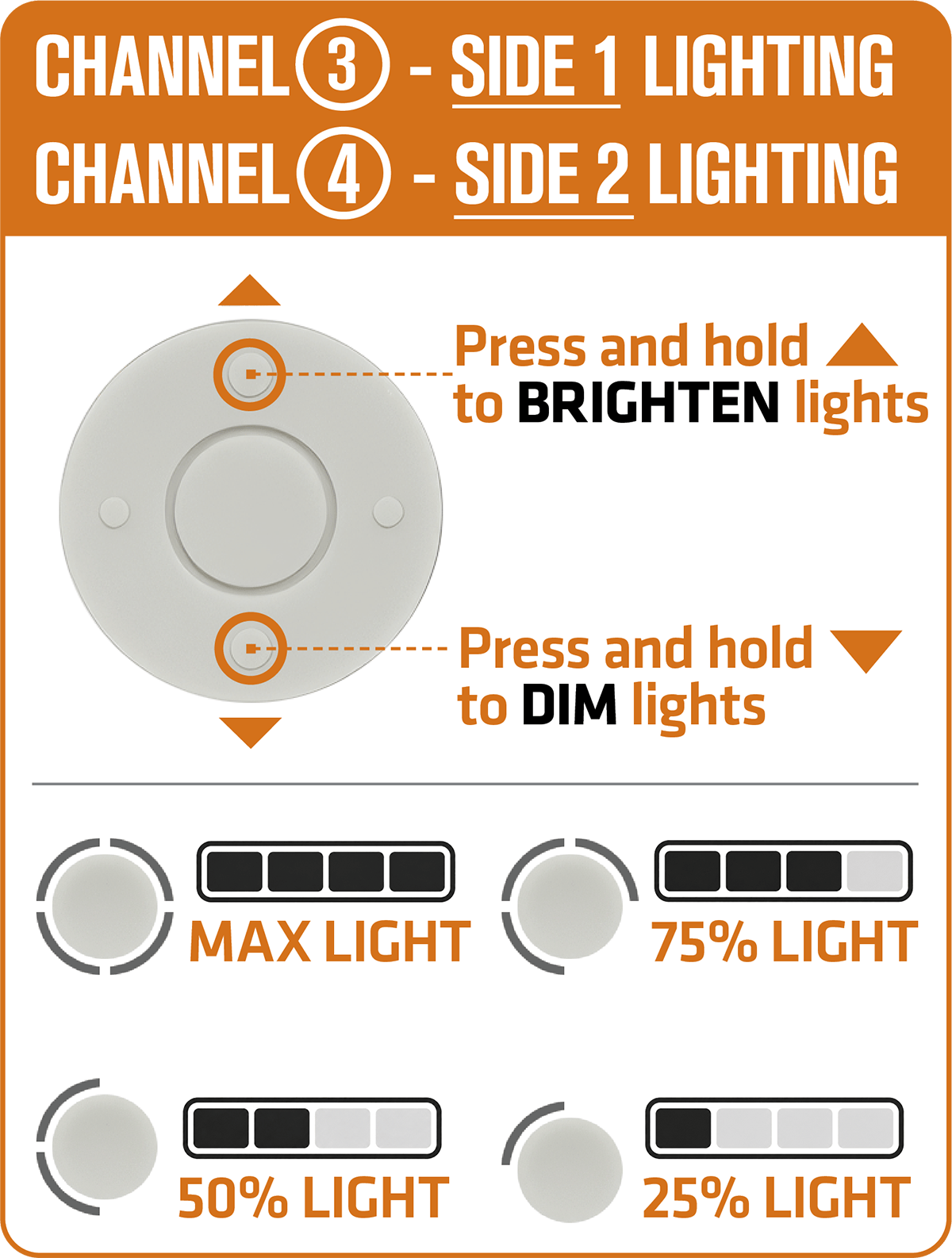
Release the button when the desired lighting level is reached.
Controlling Each Side of a Double Pergola Independently
One advantage of the double-pergola setup is that the two sections do not have to operate identically.
For example, you could have:
Side 1 louvers partially open
Side 2 louvers closed
Side 1 lighting at full brightness
Side 2 lighting dimmed
Simply switch to the appropriate channel before making each adjustment.
The channel assignments are:
1 → Side 1 Louvers
2 → Side 2 Louvers
3 → Side 1 Lighting
4 → Side 2 Lighting
If the remote appears to be operating the wrong function, check the selected channel before troubleshooting anything else.
If the Louvers Are Not Moving
First verify that you have selected a louver channel, rather than a lighting channel.
For a single pergola, that means Channel 1.
For a double pergola, use Channel 1 or Channel 2 depending on which side you want to operate.
Then press and hold the OPEN or CLOSE control rather than tapping it briefly.
If the correct channel is selected and the louvers still do not respond, stop operating the controller and contact Vetrina for assistance rather than repeatedly cycling the controls.
If the Lights Are Not Responding
Confirm that you are on the correct lighting channel.
For a single pergola, use Channel 2.
For a double pergola, use Channel 3 for Side 1 or Channel 4 for Side 2.
Press and hold the BRIGHTEN or DIM control and verify whether the lighting responds.
If one side of a double pergola works while the other does not, note which channel is affected when contacting Vetrina. That information can help narrow down the issue.
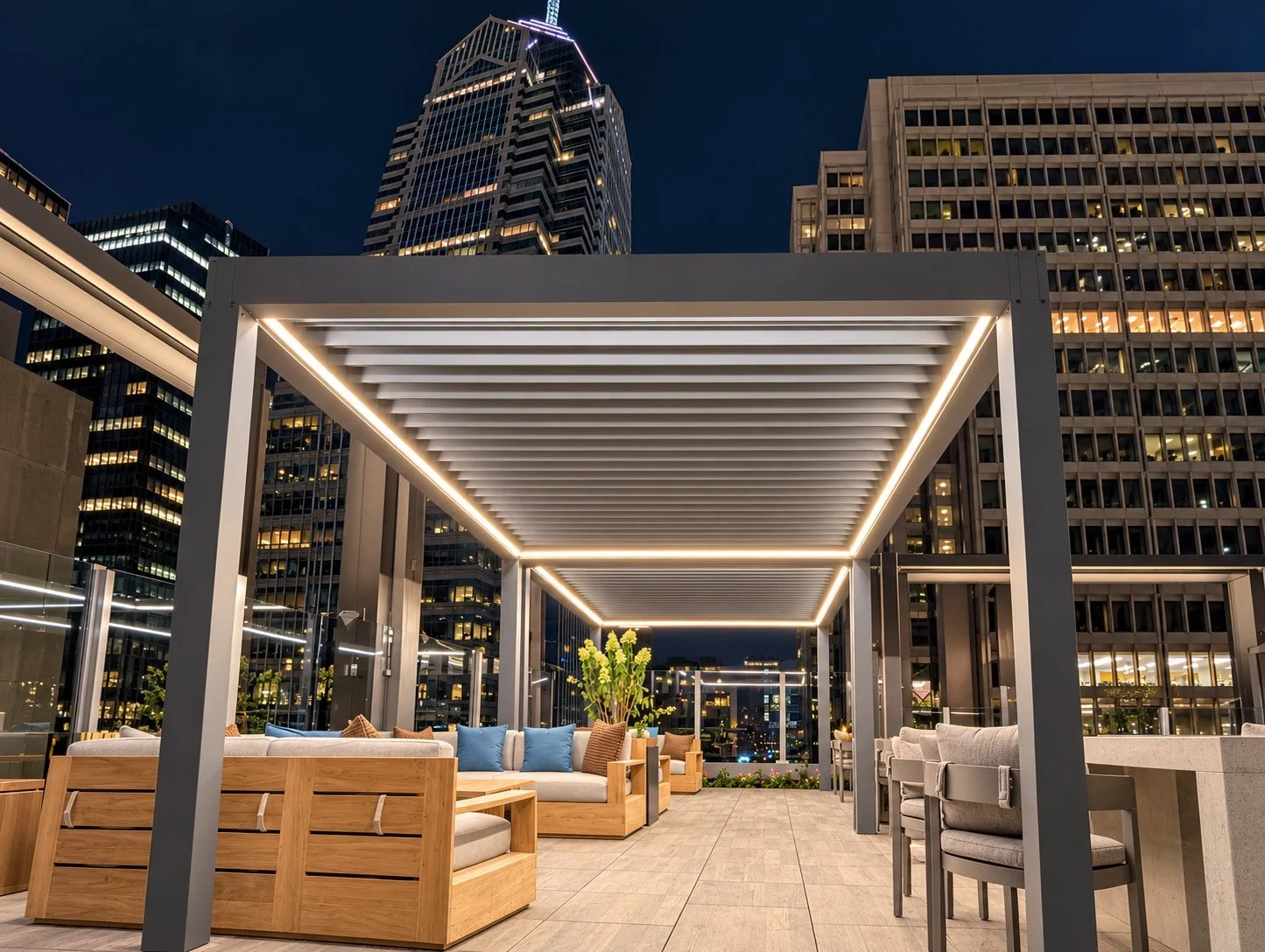
Vetrina bioclimatic Double Pergola installed on an apartment building rooftop in Philadelphia, PA with remotely controlled LED lighting and louvers
Quick Reference
Single Pergola
Channel 1: Louvers
Channel 2: Lighting
Louvers:
Hold UP to open
Hold DOWN to close
Lighting:
Hold UP to brighten
Hold DOWN to dim
Double Pergola
Channel 1: Side 1 Louvers
Channel 2: Side 2 Louvers
Channel 3: Side 1 Lighting
Channel 4: Side 2 Lighting
The operating buttons work the same way for each channel.
Need help with your Pergola remotes?
If your pergola remote is not operating as expected, contact Vetrina Windows with:
Your project or order information
Whether you have a single or double pergola
Which channel is affected
Whether the problem involves the louvers or lighting
A photo of the remote showing the selected channel
A short video showing what happens when you attempt to operate the system
Providing the selected channel and the affected function is especially helpful because each louver and lighting section is assigned separately on the controller.